

Download Total Video Downloader – Fast, Secure & Free Video Capture Tool
Overview
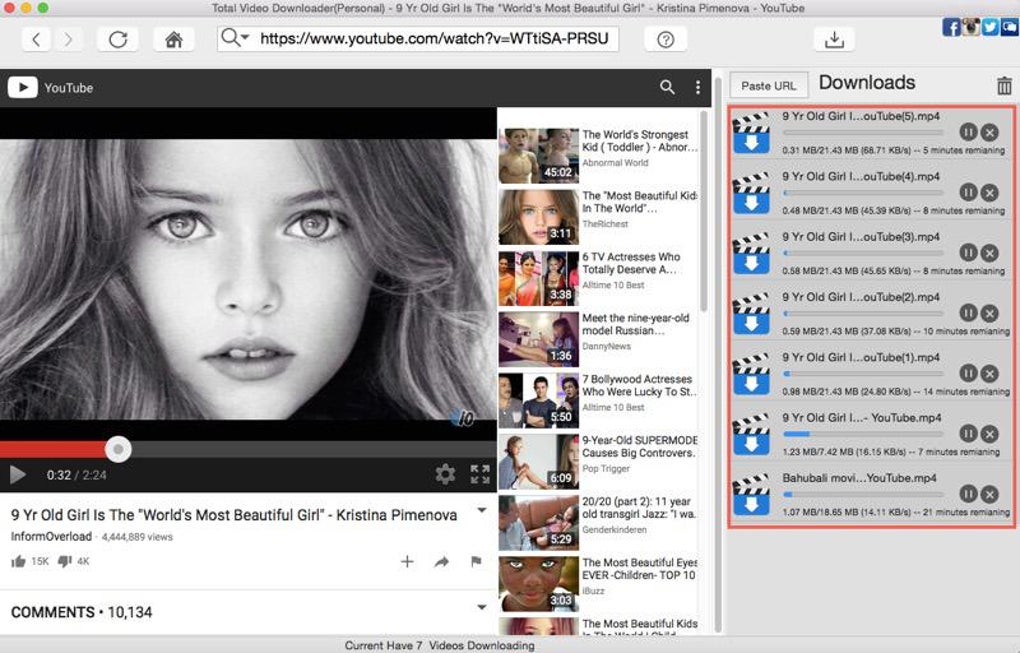
Total Video Downloader is a professional‑grade utility designed to simplify the process of saving online videos for offline viewing. In an era where streaming dominates, the ability to capture a video and watch it later—without bandwidth constraints or subscription walls—has become a necessity. This software tackles that need by offering a one‑click solution that works across the most popular video platforms, including YouTube, Vimeo, Dailymotion, Metacafe, and many others. The latest 1.5.0 release even supports live‑stream capture, a feature that sets it apart from many competing downloaders. Whether you need an SD clip for a quick reference or an HD masterpiece for a presentation, Total Video Downloader handles a broad range of formats (MP4, MPEG4, MP3, WAV) and resolutions without sacrificing speed or quality. Users can start with a free trial to explore the interface before committing to a subscription that unlocks batch downloading, accelerated transfer rates—up to four times faster than typical tools—and priority customer support. The software’s clean UI, secure download engine, and regular updates make it a reliable companion for content creators, educators, and casual viewers alike.
Key Features & Benefits
- Universal Site Support: Works seamlessly with YouTube, Vimeo, Dailymotion, VIVO, Metacafe, and hundreds of other sites.
- HD & SD Options: Choose between standard definition and high‑definition downloads up to 1080p.
- Multiple Output Formats: Export videos as MP4, MPEG4, or extract audio to MP3 and WAV.
- Live Stream Capture: New in version 1.5.0, record live broadcasts in real time.
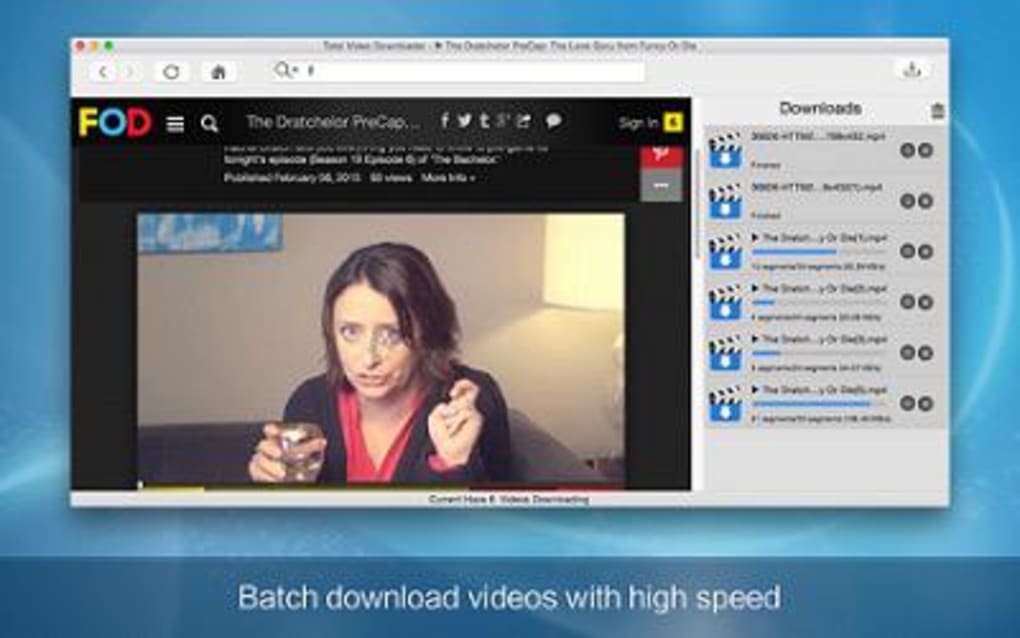
- Batch Downloading: Paste a list of URLs and let the tool process them simultaneously.
- Speed Optimization: Proprietary download engine claims up to 4× faster transfers compared to generic downloaders.
- Secure & Ad‑Free: No hidden ads, malware‑free installer, and encrypted connections for safe downloads.
- Regular Updates: Automatic update checks ensure compatibility with new site changes.
- Free Trial & Flexible Licensing: Test all core functions before upgrading to a yearly or lifetime plan.
Beyond the raw feature list, Total Video Downloader emphasizes user experience. The drag‑and‑drop URL field eliminates the need for manual copying, while a preview pane shows video length and quality before you commit to the download. Integrated proxy support helps bypass regional restrictions, and the built‑in scheduler lets you set download windows for off‑peak hours, conserving bandwidth. For professionals, the batch mode combined with customizable naming templates streamlines large‑scale media archiving, making the tool suitable for digital marketers and educators who need to curate video libraries quickly.
Installation, Usage & Compatibility
Step‑by‑Step Installation
- Visit the official Total Video Downloader website and click the Download button for your operating system.
- Run the installer (.exe for Windows, .dmg for macOS) and follow the on‑screen prompts. The wizard automatically installs required codecs and registers file associations.
- Once installation completes, launch the application. A brief setup wizard will ask you to choose a default download folder and preferred video quality.
How to Download a Video
- Copy the URL of the video you wish to save from any supported website.
- Paste the link into the main input field or drag the browser tab directly onto the application window.
- Select the desired output format (MP4, MP3, etc.) and resolution. For live streams, enable the “Capture Live” toggle.
- Click Download. The progress bar displays real‑time speed, and you can pause or cancel at any moment.
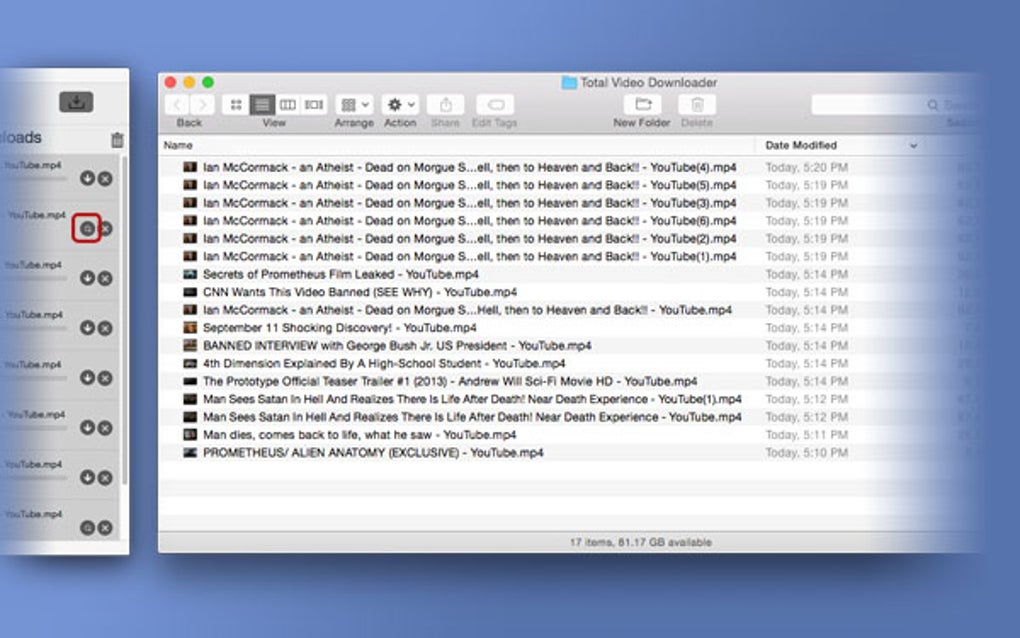
- When finished, the file appears in your chosen folder, ready for offline playback.
Compatibility
Total Video Downloader is built on a cross‑platform framework, offering native versions for:
- Windows 10, 11 (64‑bit)
- macOS Catalina and later
- Linux distributions (via .deb and .rpm packages)
The application requires .NET 4.7 or higher on Windows and macOS 10.15+ for optimal performance. It runs efficiently on machines with as little as 2 GB RAM, though a dual‑core processor is recommended for batch operations. Mobile versions for Android and iOS are in development, promising future support for on‑the‑go downloading.
Pros, Cons, FAQ & Conclusion
Pros
- Broad website compatibility, including live streams.
- Fast download engine, up to four times quicker than many rivals.
- Supports both video and audio extraction in multiple formats.
- Batch downloading saves time on large projects.
- Secure, ad‑free installer with regular updates.
Cons
- Mobile apps not yet released.
- Free trial limits the number of simultaneous downloads.
- Advanced proxy settings may be confusing for beginners.
Frequently Asked Questions
Is Total Video Downloader legal to use?
The software itself is legal; it simply captures publicly available streams. Users should respect copyright laws and only download content they have permission to use.
Can I download videos from subscription services like Netflix?
Total Video Downloader focuses on free streaming platforms. Downloading from paid services typically violates their terms of service and is not supported.
What video quality can I expect?
The tool mirrors the source quality. If the original is uploaded in 1080p HD, you can download it at that resolution; otherwise, you can select the highest available option.
How secure is the download process?
All connections use SSL encryption, and the installer is signed to prevent tampering. No ads or bundled software are included.
Do I need a fast internet connection for batch downloads?
While the engine maximizes bandwidth usage, a stable broadband connection (≥10 Mbps) ensures smooth batch processing without bottlenecks.
Conclusion & Call to Action
Overall, Total Video Downloader stands out as a robust, secure, and fast solution for anyone who needs to archive online video content. Its comprehensive format support, live‑stream capability, and batch processing make it a valuable addition to both casual users and professionals. The free trial provides ample opportunity to test the interface before committing to a subscription, and the yearly plan offers a cost‑effective way to keep the tool updated. If you’re looking for a reliable way to download videos without the hassle of multiple plugins or hidden ads, download Total Video Downloader today and experience the convenience of offline video playback.







